
Money Guide
How to Find Forgotten Subscriptions You're Paying For
Most people underestimate what they pay for subscriptions. In one C+R Research survey, the gap between the guess and the real total was about $133 a month. Here's exactly how to find every recurring charge you've forgotten about: the thorough manual way first, then a faster way that reads it all off your bank in one pass.
Subscriptions are designed to be easy to start and easy to forget. A $9.99 trial you meant to cancel, an app you used once, a "premium" tier auto-renewing on a card you barely check. Each charge is small enough to slip past you, and there's no single screen that lists them all. That's the trap. This guide walks through how to find them, what to do once you have, and how to make sure the list stays complete next month instead of drifting back into the dark.
Two things make subscriptions uniquely easy to lose: the charges are small enough that no single one triggers a second look, and they arrive on different dates through different billers, so you never see them side by side. A streaming service bills on the 3rd, a cloud-storage plan on the 14th, a fitness app annually every January. Individually they're forgettable. Added up, they're often a car payment. Finding them is really just the act of pulling every recurring charge into one place so you can see the total you've been paying in pieces.
How much money do forgotten subscriptions really cost?
People underestimate their subscription spending by about $133 a month, according to C+R Research, and a 2025 CNET/YouGov survey found the average subscriber spends $90 a month, about $204 a year of it on subscriptions they do not use. In the 2022 survey of 1,000 U.S. consumers by C+R Research, people first estimated they spent about $86 a month on subscriptions. When they added up their actual services category by category, the real figure was $219: roughly $133 more every month, or over $1,500 a year, than they thought. The same study found that 42% of people admit to paying for a subscription they'd stopped using but forgot to cancel. Nearly three-quarters (74%) said recurring charges are easy to forget, and 72% have their subscriptions on autopay, the exact combination that lets a charge run quietly for years. The point isn't that you're careless. It's that the system is built to blur the total, so finding it takes a deliberate look.
Where do I find every subscription I'm paying for?
There is no one place that shows all of your subscriptions, because billing is split across several systems that don't talk to each other. A charge can run through your bank or credit card directly, or through Apple, Google, PayPal, or Amazon acting as a middleman. To find them all manually, you have to check each source in turn. Work through these five, in this order:
- Your bank and credit card statements: the master list; every charge eventually lands here.
- The Apple App Store (iPhone/iPad subscriptions).
- Google Play (Android subscriptions).
- PayPal automatic payments (billing agreements).
- Amazon memberships & Subscribe & Save (Prime add-ons and recurring product deliveries).
Bank statements catch the most, but not everything: a Spotify plan billed through Apple shows up as one lumped "Apple" charge, not "Spotify." That's why the app-store and PayPal steps matter: they turn vague middleman charges into named subscriptions you can actually act on.
How can I see the yearly cost of all my subscriptions in one place?
List every recurring charge with its amount and how often it bills, then convert each one to a yearly figure: monthly charges times 12, weekly charges times 52, annual charges as they are. Add the column and that is your total. Use twelve months of bank and card statements, because annual renewals only appear once. A subscription tracker does the same conversion automatically from your transactions.
What are the exact steps to find subscriptions manually?
Set aside about 20–30 minutes and go source by source. Keep a running list (a notes app or a sheet) with the service name, the amount, and how often it bills. As of 2026, here's where each screen lives:
Comb your bank and card statements
Pull the last three months of statements for every checking account and credit card. Three months matters because monthly charges repeat, but annual subscriptions only appear once a year. Scan for identical amounts on a similar date each month, and flag anything you don't recognize. Search your online banking for terms like "recurring," or sort transactions by merchant if your bank allows it.
Check the Apple App Store
On your iPhone or iPad, open Settings → [your name] → Subscriptions. This lists every active subscription billed through Apple, and expired ones further down. On a Mac, open the App Store, click your name, then View Information → Manage under Subscriptions.
Check Google Play
On Android, open the Play Store, tap your profile picture, then Payments & subscriptions → Subscriptions. You'll see everything billed through Google, active and cancelled. Anyone with an Android device (even a long-retired one) should check here.
Check PayPal automatic payments
On a desktop browser, log in to PayPal and go to Settings (gear icon) → Payments → Automatic payments. PayPal calls subscriptions "automatic payments" or "billing agreements," so this is a common hiding spot for charges that never touch your card statement directly.
Check Amazon memberships and Subscribe & Save
In your Amazon account, open Memberships & Subscriptions, then also look at Subscribe & Save. Recurring deliveries of household items, supplements, and pet food add up quietly, and channel add-ons layered onto Prime Video are easy to lose track of.
Search your email for the ones nothing else caught
In your inbox, search for "your subscription", "receipt", "renewal", and "welcome to", then sort by sender. Annual renewals are the classic catch here: a domain name, a cloud-storage plan, or software you tried once bills so rarely that it never stands out on a monthly statement, but the renewal reminder is sitting in your email.
The manual method works; it's just easy to leave half-done. Most people check their card statement, cancel one obvious charge, and stop before the App Store and PayPal steps, which is exactly where forgotten charges hide. If you do it by hand, finish all six sources.
Where can I find my recurring charges in my bank app?
Most major card issuers now build a recurring-charge view into their own app, and it is the fastest place to start because it needs no setup. The wording differs by bank, but look for a "Recurring charges", "Subscriptions" or "Manage recurring payments" item inside the account you want to check. Chase, American Express and Discover all offer some version of it; menu names and locations move between app releases, so search the app's own help if you cannot find it.
Two limits are worth knowing before you rely on it. First, each issuer only sees the charges that hit that card, so if your subscriptions are split across a credit card, a debit card and a bank account — which is the normal case — you get a partial list from each and no total. Second, these views key off merchants the bank has already recognized as recurring, so an annual renewal or an odd-cadence charge often will not appear at all. They are a good first sweep and a poor final answer.
On a debit card or a checking account the same sweep is manual: sort the last twelve months of transactions by merchant and flag anything that repeats at a similar amount. Debit is where recurring charges hide best, because the money leaves before you review anything.
How do I cancel a subscription once I've found it?
Cancel it at the source that bills it, not at your bank. Turning off a card or disputing the charge usually doesn't stop the subscription; it just bounces the payment, and the service may send it to collections or re-bill a different card. If a charge comes through Apple, cancel it in Apple's Subscriptions screen; through Google Play, cancel in Play; a direct charge, cancel on the company's own website under account or billing settings. The FTC's 2024 click-to-cancel rule was struck down in court in 2025, so there is no federal requirement yet; some states have their own auto-renewal laws, and cancelling at the source still works. Before you cancel, note the renewal date: if you've already paid for the period, you can keep using the service until it lapses. Take a screenshot of the confirmation, and check next month's statement to be sure the charge actually stopped.
How do I stop a recurring charge when the company won't cancel it?
Cancelling at the source is still the first move, and for almost every subscription it is the only one you need. But if a company keeps charging you after you have cancelled, you are not stuck with it, and the fix is not to quietly close the card.
For automatic payments out of a bank account, the CFPB's guidance is to revoke your authorization with the company, then tell your bank or credit union that you have revoked it — by phone or the bank's own form, followed up in writing so there is a record. Your bank may also ask for a stop payment order, which instructs it not to pay that company; banks generally charge a fee for one. Once you have revoked authorization, any further payment that company initiates is an error, and you can ask your bank to refund it. Tell the bank promptly — federal law gives you the right to dispute unauthorized transfers, but only if you report them in time.
What does not work as well as people expect: cancelling the card. A reissued or closed card often does not stop a recurring charge, because card networks can forward the new number to merchants with a stored subscription, and an unpaid balance can still be sent to collections. Cancel with the merchant, revoke at the bank, keep the confirmation, and check the following month's statement.
How do I stop forgetting subscriptions and getting charged?
Make every renewal visible before it bills. When you start a free trial, set a reminder two days before it converts; 70% of people have been locked into a paid plan after forgetting to cancel a trial, according to Self Financial (2026). Keep subscriptions on one card so they land in one statement, and review that list once a month, so a new charge gets a decision before its second bill.
Is there a faster way to find subscriptions automatically?
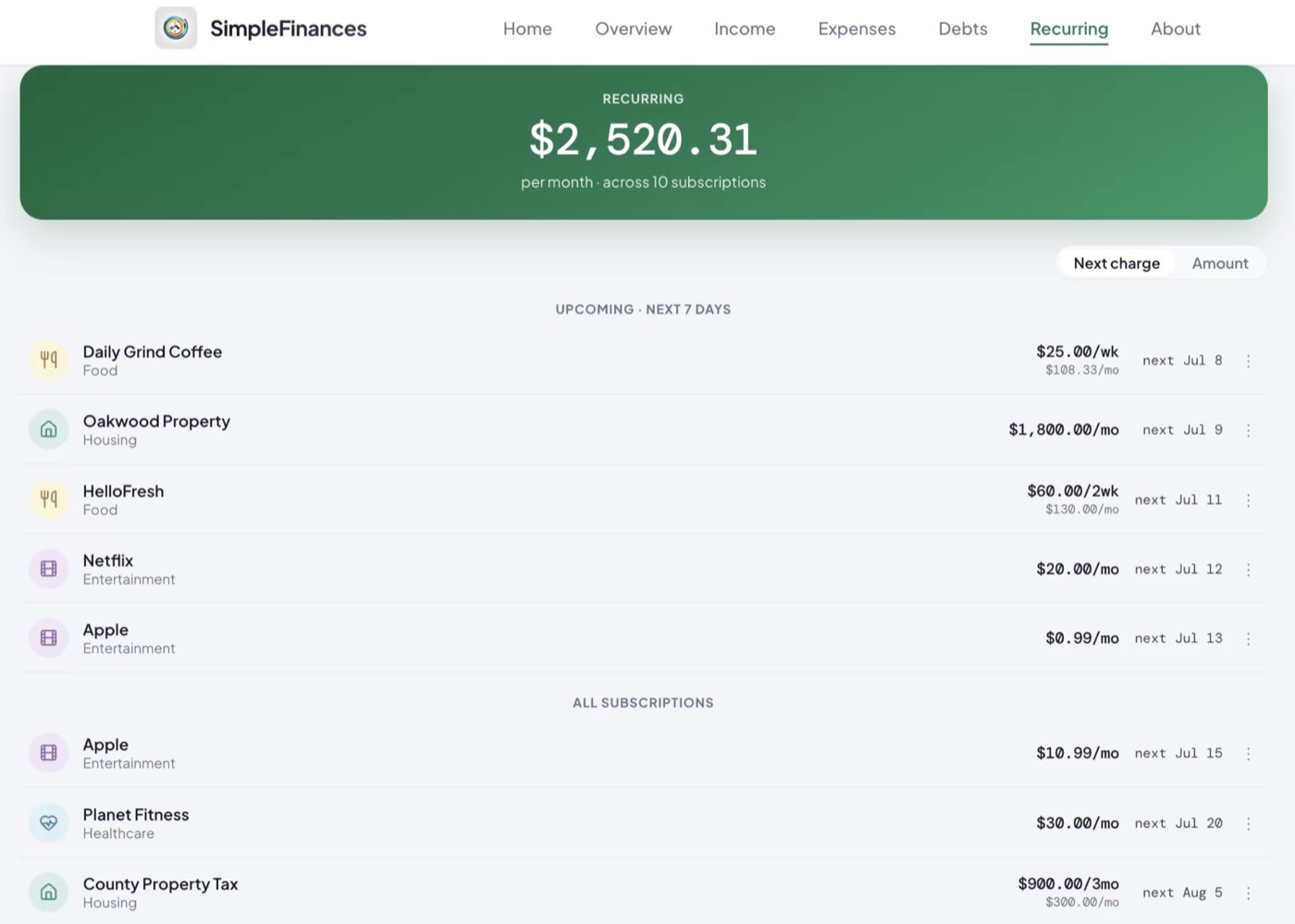
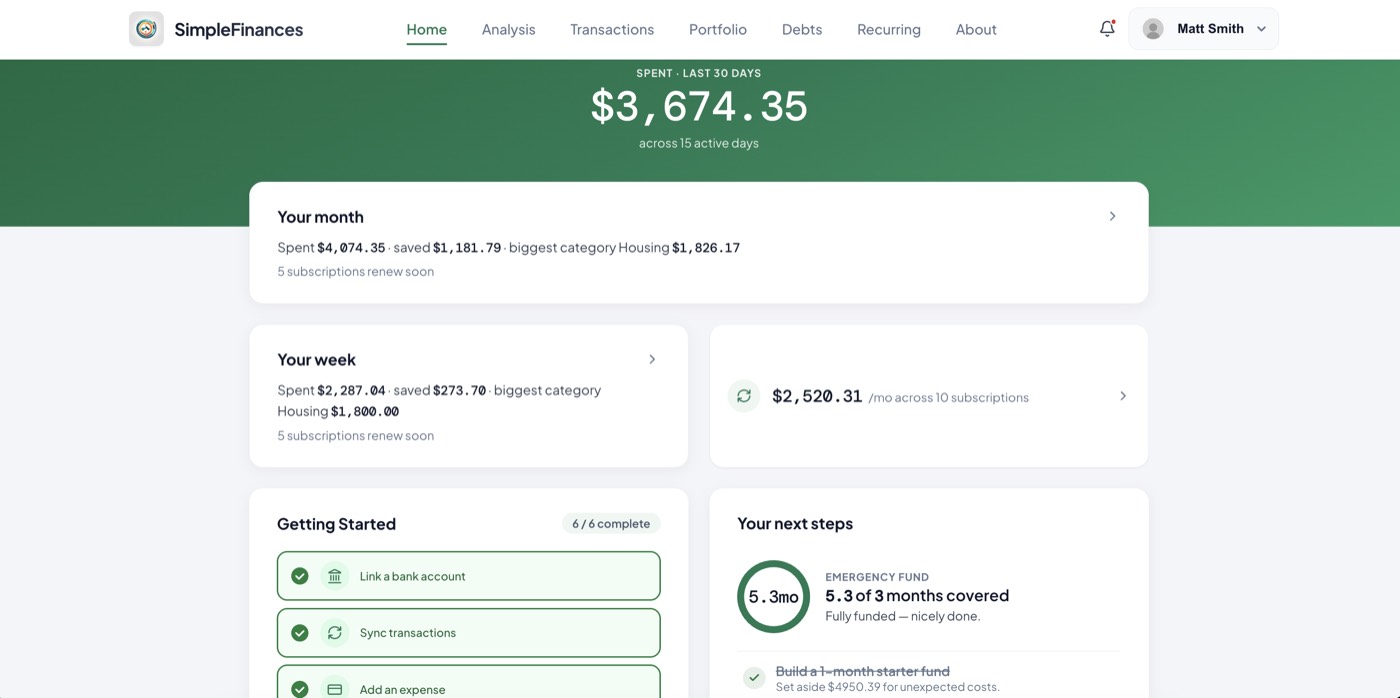
Yes: software that reads your bank and card transactions finds recurring charges in one pass instead of five manual checks. The reason the manual method takes 30 minutes and still misses things is that you're doing by hand what software does in seconds: reading every transaction and spotting the ones that repeat. That's exactly what SimpleFinances does. When you connect your accounts, it scans your real transaction history, groups charges by merchant, and flags the ones that recur (monthly, annually, or on an odd cadence) into one subscription finder. Instead of five separate screens and a manual tally, you get a single list of everything billing you, with the amount and frequency already worked out. It catches the direct card charges the App Store screen can't, and the annual renewals a one-month statement scan misses. Most people turn up recurring charges they'd forgotten about, and 1,000+ people have signed up to use SimpleFinances to keep that list current, so next month's charges don't quietly drift back into the dark.
Manual vs. automated: which method should I use?
Both find subscriptions. The difference is how much work it takes and how complete the result is, especially over time, since a manual audit is only accurate the day you do it.
| Manual method | SimpleFinances finder | |
|---|---|---|
| Time to complete | 20–30 min across 5 screens | Minutes, one connection |
| Catches direct card charges | Only if you spot them | Yes, grouped automatically |
| Catches annual renewals | Only with 12 months of statements | Yes, flagged by cadence |
| Stays current next month | No: you re-do it manually | Yes: new charges surface |
| Cost | Free (your time) | $49.99 one time (Full Financial Review); no subscription |
If you'd rather not link a bank, SimpleFinances also supports manual entry: you can add accounts and transactions yourself and still use the finder, spending review, and financial health score. It's slower to set up than an automatic connection, but it keeps your data entirely in your own hands.
How do I find recurring charges that aren't subscriptions?
Not every repeating charge is a streaming service. Recurring payments hide in more categories than most people check: annual renewals (domains, memberships, credit-card fees, insurance riders), quarterly charges (pest control, water delivery, storage units), app-store charges billed through Apple or Google that never show a merchant name you recognize, and "free trials" that quietly converted months ago. These are the charges a quick statement skim misses, because they don't repeat monthly; the pattern is only visible across six to twelve months of history.
The method is the same as finding subscriptions, with a longer lookback: scan a full year of transactions, group charges by merchant, and flag anything that has hit the account more than once at a similar amount. That's exactly the pattern-matching a recurring charge tracker automates: SimpleFinances groups every repeating charge across your linked accounts, monthly or not, so annual and quarterly charges surface alongside the streaming lineup. If you're doing it by hand, search your statements for the same merchant appearing in different months, and pay special attention to January and your card-anniversary month, when annual renewals cluster.
Is it safe to connect my bank?
SimpleFinances connects to your bank through Plaid, the same secure service used by many major finance apps. The connection is read-only: it can see transactions to find your subscriptions, but it cannot move, send, or withdraw money. Your bank login credentials are entered with your bank through Plaid and are never stored by SimpleFinances; the login stays with the bank. Data is protected with bank-level encryption in transit and at rest. And if you'd prefer not to link anything at all, the manual-entry option means you can use the app without ever connecting an account. The goal is simple: see the real number, on your terms, without handing over control of your money.
Find your forgotten subscriptions
Connect an account or add transactions by hand, and SimpleFinances surfaces every recurring charge in one list, with the amount and how often it bills. Most people turn up charges they'd forgotten about. That sweep is the one-time Full Financial Review: $49.99, one payment, no subscription, and a 30-day money-back guarantee.
The recurring-charge sweep is what the $49.99 one-time Full Financial Review does: every account linked read-only, every recurring charge found and totaled, 7 days of full Premium access, and a report that is yours to keep. No subscription. 30-day money-back guarantee.
What's the best way to track all my subscriptions?
The best way to track all your subscriptions is a single list of every recurring charge (service, amount, and billing date) that gets refreshed as new charges appear. You can keep that list two ways. The manual way is a simple spreadsheet: one row per subscription, columns for name, cost, billing frequency, and renewal date, updated once a month against your bank and card statements. It's free and it works, but it's only as accurate as your last update, and annual renewals are easy to miss. The automated way is an app to track subscriptions for you: it reads your actual transactions, so a new charge, or a converted free trial, shows up on the list before its second bill, not after its twelfth. Whichever you choose, the habit that saves the money is the same: glance at the list once a month and ask of each line, "did I use this?"
That monthly glance matters because the list refills on its own. New free trials convert to paid, prices creep up at renewal, and a service you cancel gets replaced by two you sign up for next month. A one-time audit, manual or automated, is only accurate the day you run it; ongoing tracking is what keeps the total honest. That's the difference between a subscription audit and a subscription tracker: the audit is a snapshot, the tracker is a live list. Anything on it you can't answer "yes, I used it" to is a candidate to cancel.
Whether you do it by hand across five screens or let SimpleFinances read it off your transactions in one pass, the win is the same: you go from guessing to seeing your real number, and every charge you'd forgotten is now a decision you get to make on purpose.
How do I find all my unwanted subscriptions?
Start from the money, not from memory. Pull the last 90 days of every bank and card statement, sort by merchant, and flag anything that repeats at the same amount on roughly the same day. Then run the five sweeps above (bank and card statements, the App Store, Google Play, PayPal, Amazon), because a charge that bills through Apple or PayPal shows up on your statement under the middleman's name, not the service's. The "unwanted" part is a separate pass: for each line, ask when you last used it. If you cannot remember, that is the answer. Most people find that the subscriptions they had forgotten are not the big ones; they are the small monthly charges that were easy to sign up for and never worth the effort to cancel.
How can I see all my subscriptions to cancel in one place?
There is no single account that lists them all, because billing is split across your bank, your card issuer, Apple, Google, PayPal, and Amazon. You have two ways to build the one-place view. The manual way is the spreadsheet described in the tracking section above: one row per subscription, refreshed monthly. The automatic way is a read-only bank connection that surfaces every recurring charge on one screen as it appears; that is what the subscription tracker in SimpleFinances does, and if a bank will not connect you can drag and drop a statement instead. Either way, the cancel step still happens with the merchant or the app store, not inside the list.
How do I find subscriptions I did not know I was paying for?
Look for three signatures. A charge in a foreign-sounding or abbreviated merchant name that repeats monthly is usually a service billing through a payment processor. An annual charge that appears once a year on a card you rarely check is usually a renewal from a free trial that converted. And a small charge from Apple or Google that does not match any app you remember buying is a subscription started inside an app. Search your email for the words "receipt", "renewal", and "your subscription" to put names to the ones the statements only show as codes.
Sources
- C+R Research, "Subscription Service Statistics and Costs" (survey of 1,000 U.S. consumers, 2022): crresearch.com. Source of the 42% forgotten-subscription, $86 vs. $219 spend ($133 gap), 74% and 72% figures.
- CNBC, "Consumers spend an average $133 more each month on subscriptions than they realize" (2022): cnbc.com. Reporting on the C+R Research study.
- U.S. Consumer Financial Protection Bureau, "How do I stop automatic payments from my bank account?": consumerfinance.gov. Source of the revoke-authorization and stop-payment-order steps.
- Apple Support, "See your purchases and subscriptions in the App Store on iPhone": support.apple.com.
- U.S. Federal Trade Commission, "click-to-cancel" rule announcement (Oct 2024); the rule was vacated by the U.S. Court of Appeals for the Eighth Circuit on July 8, 2025: ftc.gov.