 SimpleFinances
What does Rocket Money do well?
Credit where it's due: Rocket Money is very good at a specific job. Its standout feature is bill negotiation: its team contacts your phone, cable, and internet providers to negotiate a lower rate, and it's available to everyone, not just paying members. The pricing is performance-based: you only pay if they succeed, and then you pay between 35% and 60% of the first year's savings. Rocket Money also offers a subscription-cancellation concierge in its Premium tier, so it can cancel unwanted subscriptions on your behalf rather than just flagging them. It has a genuinely useful free tier (unlimited account connections, automatic subscription detection, basic budgeting), and it ships polished native apps for iOS and Android. If your main goal is to hunt down subscriptions, cancel them without the phone calls, and squeeze your recurring bills, Rocket Money is a strong, purpose-built choice.
How is SimpleFinances different from Rocket Money?
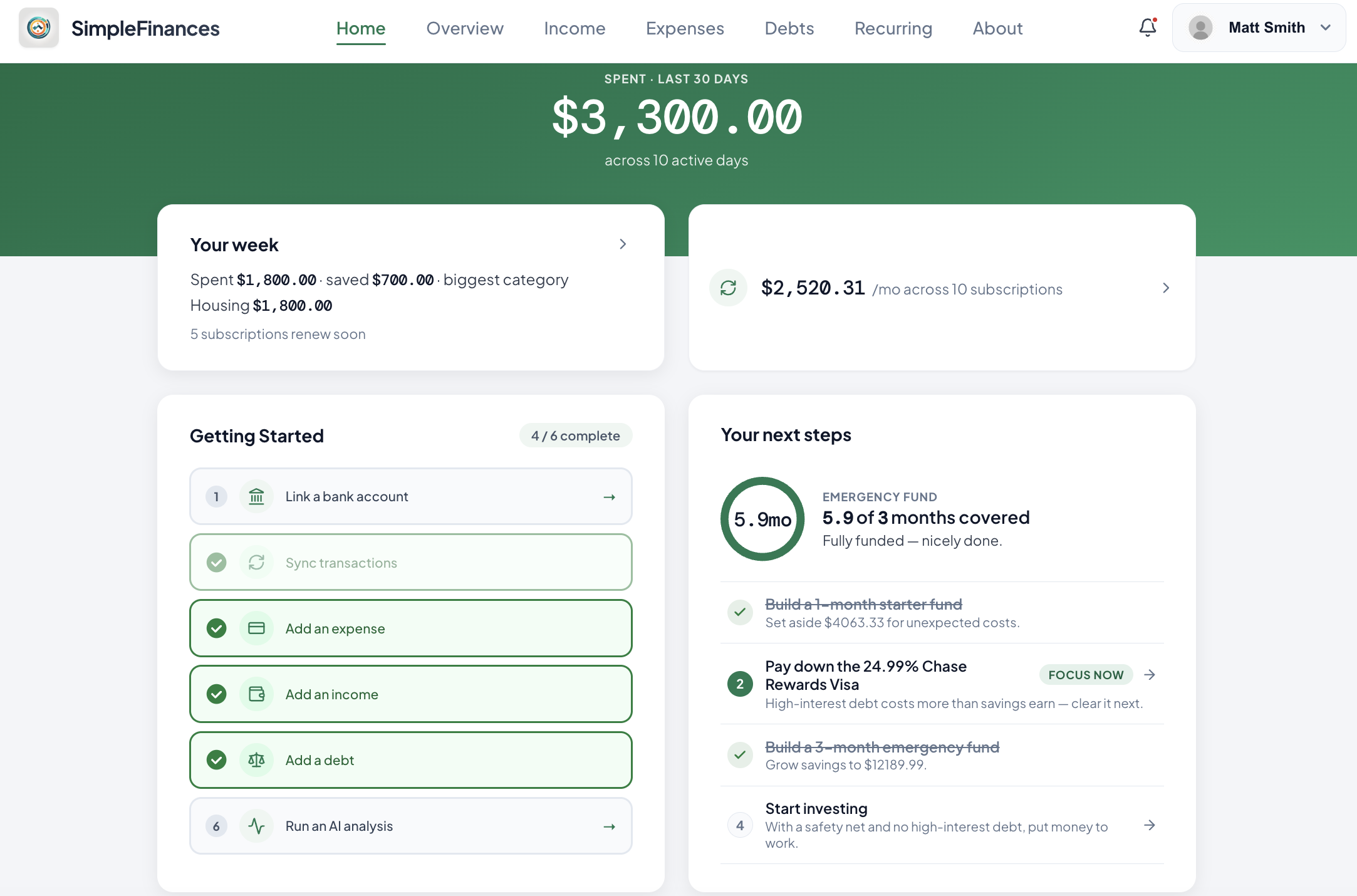
SimpleFinances is built to answer a broader question: not "what can I cancel" but "where is all my money going, and what should I do next." Your transactions are categorized automatically, and on top of that sit a financial health score, a net-worth timeline, and a cash-flow calendar: a whole-picture view rather than a subscription list. It still finds and totals every recurring charge, as one piece inside a complete financial review rather than the headline. The other big difference is how you pay. SimpleFinances is not another subscription: the Full Financial Review is a one-time $49.99, with no "pay what you think is fair" prompt and no free-trial countdown that quietly converts to a charge. You pay once, and nothing renews.
Choose Rocket Money if…
- Cancelling subscriptions for you is the main thing you want.
- You'd use hands-off bill negotiation on cable, phone, or internet.
- A native iOS or Android app is a must-have.
- You're comfortable choosing your own Premium price.
Choose SimpleFinances if…
- You want the full picture: categories, net worth, cash flow, health score.
- You would rather pay once for a full review than add another subscription.
- You never want a trial clock that auto-charges you.
- You're happy in a fast web app that works on any device.
How do SimpleFinances and Rocket Money compare on price?
This is where the two philosophies diverge most. Rocket Money's Premium uses a "pay what you think is fair" model, typically landing between $7 and $14 a month after a 7-day free trial that then charges the amount you chose, with a separate performance fee (35–60% of first-year savings) if you use bill negotiation. That can be inexpensive, but the final number depends on the slider and on which services you use. SimpleFinances is one payment: the Full Financial Review is $49.99, one time, no subscription. It links every account read-only, finds and totals every recurring charge, includes 7 days of full Premium access, and the report is yours to keep, with a 30-day money-back guarantee. There's no trial timer, no per-success fee, and nothing renews. The fair contrast: Rocket Money's Premium is a recurring charge whose size you set; the review is a single charge you make once. Rocket Money can be cheaper in any given month if you set a low price; SimpleFinances trades that for one payment with a known end and a broader read of your money. Pick based on which trade-off you value.
SimpleFinances vs Rocket Money: feature comparison
| SimpleFinances | Rocket Money | |
|---|---|---|
| Entry price | $49.99 one time, no subscription | Free tier |
| Recurring charge | None: one payment, nothing renews | "Pay what you want," ~$7–$14/mo |
| Free trial | No trial needed: one payment, 30-day money-back guarantee | 7-day Premium trial |
| Automatic categorization | Yes | Yes |
| Tells you what to fix first | Yes Full review with next steps | A dashboard you set up and maintain |
| Subscription finder | Yes Included in the review | Yes |
| Cancels subscriptions for you | No, flags them | Yes (Premium concierge) |
| Bill negotiation | No | Yes (35–60% of savings) |
| Financial health score | Yes | No |
| Net worth & cash-flow calendar | Yes | Partial |
| Bank connections | Plaid, read-only + manual | Read-only |
| Platform | Web: works on any device, nothing to download | iOS, Android, web |
The honest summary: Rocket Money is the better pick if you want a service that actively cancels subscriptions and negotiates your bills. SimpleFinances is the better pick if you want a full review of your money and what to fix first: a one-time $49.99 Full Financial Review of every account, no subscription, with the report yours to keep. It is built for people who want to make changes, not another dashboard to check.
Can you use both Rocket Money and SimpleFinances?
Nothing stops you, and for some people the combination makes sense. Because both connect to your accounts through read-only links, running them side by side doesn't put your money at any extra risk: neither can move funds. A reasonable setup is to lean on Rocket Money for the jobs it's built for (letting its concierge cancel subscriptions you don't want and letting its team negotiate a cable or phone bill on your behalf) while using SimpleFinances as your everyday dashboard for the full picture: categorized spending, your financial health score, net worth over time, and the cash-flow calendar. That said, most people don't want to pay for and check two apps forever. If you'd rather consolidate, decide which job matters more to you day to day: active bill-cutting and cancellations point to Rocket Money, while understanding and steering your whole financial picture points to SimpleFinances. Either way, the SimpleFinances Full Financial Review is a one-time $49.99 payment rather than a subscription, so you can see the overlap for yourself before committing to one tool.
Is a web-only app a downside?
It's a fair question, since Rocket Money ships native iOS and Android apps and SimpleFinances runs in the browser. In practice, being web-only is closer to a feature than a limitation. There's nothing to download, no app-store update to install, and no waiting on a release to get the newest version: you open a link and you're on the latest build, whether you're on a phone, tablet, or laptop. Your data lives in one place instead of syncing across installs. The trade-off is real if you specifically want an app icon on your home screen or offline access on a plane, and for some people that matters. But for the everyday job of checking where your money went, a fast responsive web app that works everywhere removes friction rather than adding it. Choose based on how you actually use your phone.
How much does SimpleFinances cost?
The Full Financial Review is $49.99, one time. One payment, no subscription. You link every account (banks, cards, loans, investments) read-only, and if a bank will not connect you can drag and drop a statement. You get one complete financial review with every recurring charge found and totaled, 7 days of full Premium access, and a report that is yours to keep. It carries a 30-day money-back guarantee: full refund, no questions asked. Nothing renews automatically from the $49.99; if you want ongoing tracking afterwards, that is a separate choice you make later, never before. There's no "pay what you think is fair" slider and no success fee layered on top. The idea is simple: know your price before you commit, pay it once, and never get surprised by a renewal.
Try the full picture
Categorized spending, a health score, and every recurring charge found and totaled, in one Full Financial Review for $49.99 one time. No subscription, no trial countdown, no percentage-based fees. Start with the free five-question audit.
Start my free money auditSources
- Rocket Money, "Rocket Money Pricing: What's Free vs. What's Premium vs Premium+?" (January 19, 2026): rocketmoney.com. Source of the free tier, the "pay what you think is fair" Premium range ($7–$14/mo), the Premium+ price ($15/mo), and the 35–60% bill-negotiation fee. Checked 2026-09-28.
- Rocket Money Help Center, "How much does Rocket Money cost?": help.rocketmoney.com. Source of the 7-day Premium free trial. Checked 2026-09-28.